
TL;DR
The old rule — build cheaper, buy faster — no longer holds in 2026. Today, consider total cost, time-to-deploy, and workload fit. Buying often reduces risk and speeds up deployment, but building gives control and customization.
Imagine this: you need a powerful AI workstation. Do you spend hours sourcing parts, building it, and tuning every component? Or do you click ‘order’ and get a ready-to-run system within days? The choice isn’t as clear-cut as it used to be. In 2026, the balance between build and buy has shifted, driven by supply chain chaos and market demand. This article cuts through the noise to help you decide if a custom build or a prebuilt system makes more sense for your AI projects.
Whether you’re a solo developer, a startup founder, or part of a research team, understanding the real costs and benefits helps you avoid costly mistakes. We’ll look at how market trends, workload needs, and control factors shape this decision today—and what you should consider before pulling the trigger.
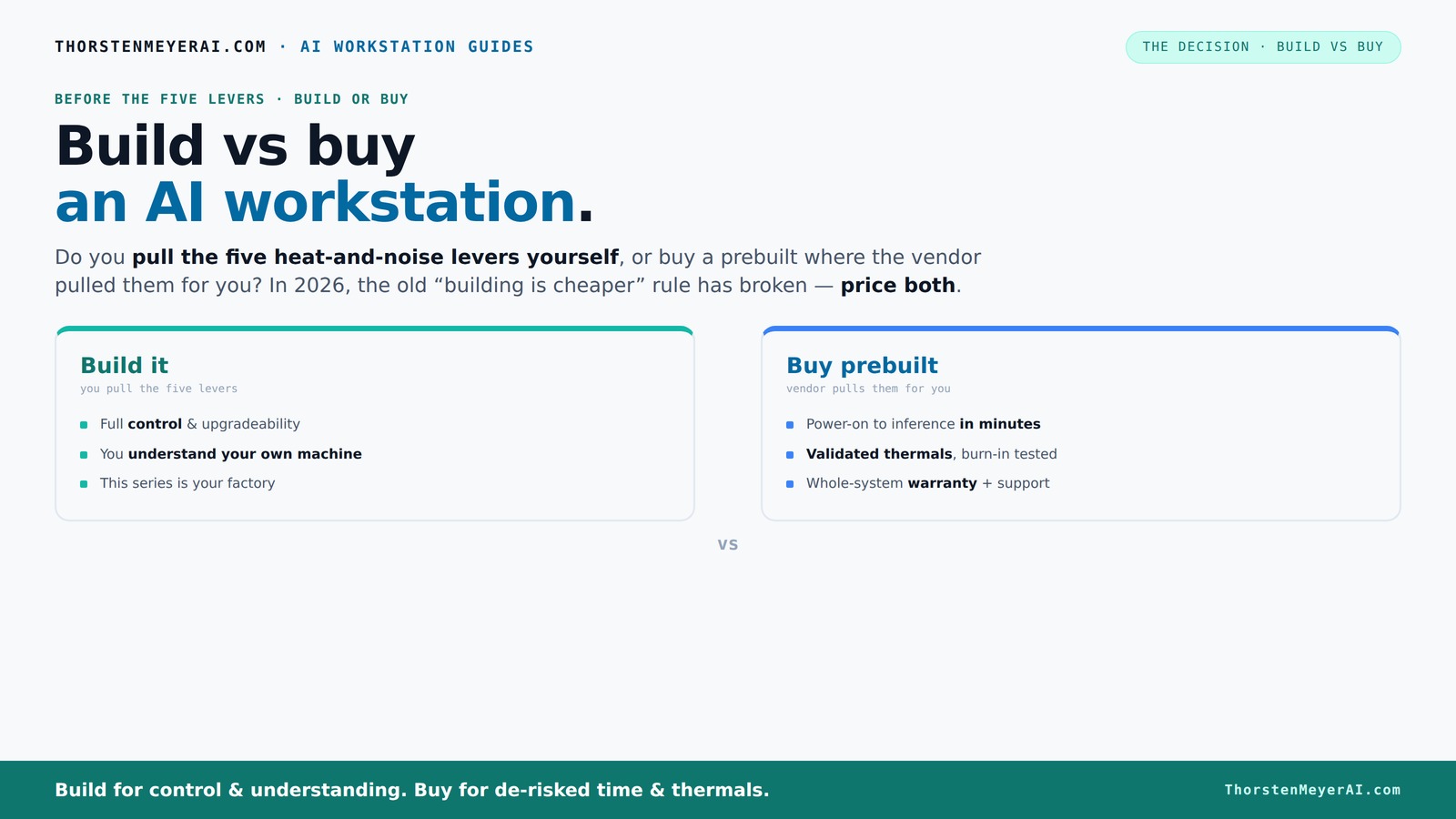
Build vs buy
an AI workstation.
The real question behind this whole series: do you pull the five heat-and-noise levers yourself, or buy a prebuilt where the vendor pulled them for you? And in 2026, the old “building is cheaper” rule has broken. Match your situation in Part 3.
Key Takeaways
- Market shortages and price spikes in 2026 mean prebuilt systems are often cheaper or equally priced compared to DIY builds.
- Prebuilts save time, reduce risk, and include validated thermals, often with support and warranty options.
- Building your own system gives unmatched control over components, cooling, and future upgrades but requires technical skill.
- Decide based on workload: heavy multi-GPU training favors validated prebuilt systems, while hobbyists benefit from customization.
- A hybrid approach offers a quick, supported platform with room to customize critical components for your needs.

WIWB Gaming PC Desktop Core I9-14900HX, GeForce RTX 5060 Ti 8G, 16G DDR5 RAM, 1TB NVME SSD, WiFi 6, 4K 8K High-End Prebuilt PC Computer Tower for Streaming, Video Editing & Workstation Use (Black)
UNSTOPPABLE PROCESSING POWER: Powered by the Intel Core i9-14900HX processor (24 Cores, 32 Threads) with a max turbo...
As an affiliate, we earn on qualifying purchases.
As an affiliate, we earn on qualifying purchases.
Why the old 'build is cheaper' rule no longer applies in 2026
Building your own AI workstation used to be the clear winner on price. But with component shortages and skyrocketing prices for GPUs, RAM, and SSDs, that’s no longer true. A build that cost under $1,000 in 2023 now easily pushes past $1,250 before you even add an OS.
Meanwhile, vendors who bought in bulk before the shortages can now offer systems at prices hard to beat — sometimes even cheaper than assembling yourself. This shift is significant because it alters the traditional cost calculus, similar to considerations discussed in Build vs Buy a Prebuilt AI Workstation. It’s no longer just about the sticker price; you must consider market volatility, supply delays, and the risk of parts becoming unavailable or more expensive. The implications are that cost savings from DIY are less predictable, and the decision now hinges on factors like time-to-deploy and support rather than just initial expenses.
This shift means your decision should focus less on upfront savings and more on total ownership, time-to-deploy, and workload fit.
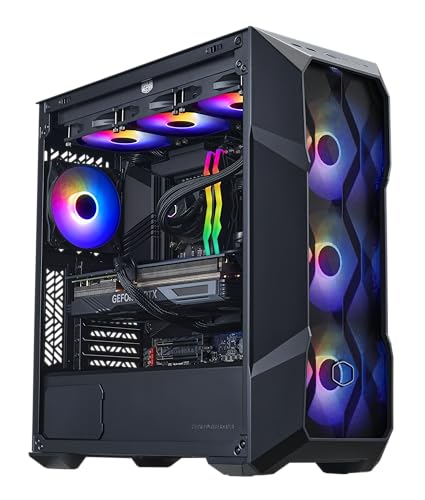
Cooler Master TD5 Pro – Intel Ultra 7 265KF 3.9GHz (5.5 GHz Turbo) | Gigabyte RTX 5070 Ti 16GB & Z890 WiFi Motherboard | 32GB DDR5 6000MHz | 2TB Gen4 M.2 | WiFi | Windows 11 | 360 AIO | Gold 750W PC
PLAY ANY GAMES: 120+ FPS on High+ Settings on 1440p | Intel Ultra 7 265F 2.4GHz (5.3 GHz...
As an affiliate, we earn on qualifying purchases.
As an affiliate, we earn on qualifying purchases.
The five levers: who controls heat, noise, and performance?
Making an AI workstation run cool and quiet is like tuning a race car — it’s all about five levers: undervolting the GPU, matching the right cooler, optimizing airflow, tuning fans, and placing the system well. For more on optimizing hardware, see Build vs Buy a Prebuilt AI Workstation. These decisions directly impact your system’s stability, longevity, and overall performance. For example, undervolting reduces power consumption and heat, which can extend component lifespan and improve thermal margins, but it requires careful tweaking and testing to avoid stability issues. Choosing the right cooler—air or liquid—affects noise levels and thermal headroom, especially under sustained loads. Proper airflow management ensures that heat doesn't build up in critical areas, preventing thermal throttling that can bottleneck performance.
If you buy prebuilt, the vendor pulls these levers for you. They validate thermals, run burn-in tests, and often include water-cooling for quieter, cooler operation. For example, BIZON claims their systems run up to 30% cooler and quieter right out of the box, which means less time spent tweaking and more time on your work.
If you build it yourself, you get full control. You pick a quiet GPU, undervolt it [4], choose a silent cooler, and set up airflow as you see fit. It’s more effort, but you learn how every part works together, allowing you to tailor the environment precisely to your workload’s demands. This control can lead to better thermal performance and quieter operation, but it demands a good understanding of thermal dynamics and airflow management.
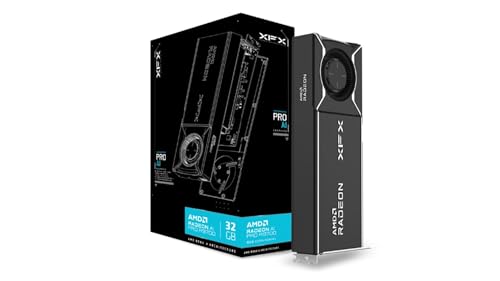
XFX AMD Radeon AI Pro R9700 32GB GDDR6 4xDP, AMD RDNA 4 RX-97XPROAIY
Chipset: AMD Radeon AI Pro R9700
As an affiliate, we earn on qualifying purchases.
As an affiliate, we earn on qualifying purchases.
When buying a prebuilt makes sense — and when it doesn’t
If speed, support, and risk reduction matter most, buying a prebuilt is a no-brainer. You can explore options at Build vs Buy a Prebuilt AI Workstation. It arrives ready to run, tested for thermals, with warranty support. For instance, a professional AI startup might prefer a Lambda system to avoid troubleshooting and downtime. The key advantage here is the reduction of unexpected delays—prebuilt systems are designed with compatibility and reliability in mind, which minimizes the risk of hardware conflicts or thermal issues that can derail projects and cause costly downtime.
On the flip side, if you enjoy tinkering, have specific customization needs, or want to optimize every component for your workload, building makes sense. Hobbyists, students, or those with unique cooling or hardware requirements will appreciate the control. The tradeoff is that building requires time, patience, and technical skill, and the potential for unforeseen issues that can delay deployment or increase costs.
Also consider multi-GPU setups or enterprise-grade workloads. Vendors like Lambda validate these configurations under heavy load, saving you from costly trial-and-error. This validation process ensures stability and performance, which is crucial for demanding workloads where failure isn’t an option. Learn more about prebuilt solutions at Build vs Buy a Prebuilt AI Workstation.

Lenovo ThinkPad P16s Gen 4 with OLED 4K Dolby Vision 100I-P3 Touchscreen
UNOPENED RETAIL PACKAGING, sold as configured by Lenovo. Includes one year of Courier or Carry-in Lenovo Warranty. Add...
As an affiliate, we earn on qualifying purchases.
As an affiliate, we earn on qualifying purchases.
Cost comparison table: build vs buy today
| Criterion | Build Your Own |
|---|---|
| Upfront cost | Typically $1,250+ for a mid-range setup; can vary based on component prices |
| Time to deploy | 1–2 weeks, sourcing parts, assembling, troubleshooting |
| Support & warranty | Own support, troubleshooting, upgrades |
| Performance tuning | Full control, but requires expertise to optimize thermal and power settings for peak performance |
| Upgradeability | High, but depends on motherboard and case compatibility; may require additional effort for future upgrades |
| Criterion | Buy Prebuilt |
| Upfront cost | Ranges from $1,300–$2,000 depending on configuration, reflecting market variability and added support |
| Time to deploy | Days, sometimes same day, enabling rapid start to work |
| Support & warranty | Vendor-backed, often 1–3 years, reducing the burden of troubleshooting and repairs |
| Performance tuning | Validated at factory, providing consistent performance under typical workloads, but less room for customization |
| Upgradeability | Possible but limited; depends on vendor policies and system design, which may restrict future modifications |
Choosing your strategy based on workload and goals
Are you training large models, doing inference, or creating content? Your workload shapes the best choice. For heavy multi-GPU training, a prebuilt validated for heat and considerations about modern kitchen technology can save you time and effort. noise might save you hours of troubleshooting and ensure stability under sustained loads. For AI research or hobby projects, building might give you the control to tweak performance exactly as you want, especially if you have specific hardware or cooling preferences.
If your goal is rapid deployment, minimal fuss, and support, buying wins because it reduces setup time and mitigates the risk of incompatibility or thermal issues. Conversely, if you need deep customization, plan to upgrade frequently, or require specific hardware configurations, building offers the flexibility and control necessary to optimize your system for your unique workload.
Hybrid approach: the best of both worlds
Many experts now recommend a hybrid strategy: buy a validated platform and customize critical parts. For example, you could buy a system with a solid CPU and GPU, then upgrade storage or cooling to suit your workload. This approach ensures a reliable, tested base while allowing targeted upgrades that can improve thermal performance, noise levels, or expand capacity. It helps mitigate the risks of full DIY builds and reduces time-to-deploy, while still giving you some control over key components.
Think of it as buying a house you can still renovate — you get the stability and support of a prebuilt, with the flexibility to tailor specific features to your needs, combining speed with customization potential.
Frequently Asked Questions
Is it cheaper to build or buy a prebuilt AI workstation?
While building used to be cheaper, recent supply chain issues and component shortages have made prebuilt systems often just as affordable or even cheaper, especially when factoring in time and support costs [2]. The tradeoff is that prebuilt systems often include support and warranty, which can save money and time in troubleshooting. The decision hinges on balancing upfront costs against potential delays and ongoing support needs.What hidden costs come with building my own AI workstation?
Hidden costs include troubleshooting hardware compatibility issues, time spent sourcing and assembling parts, thermal tuning, and managing upgrades. Additionally, you assume responsibility for warranty support and potential downtime, which can be costly if problems arise unexpectedly. These factors can significantly increase the total effort and expense beyond initial component prices, making the process more complex than simply buying a system.How much performance do I lose by buying prebuilt instead of custom building?
Prebuilts are typically validated for thermals and stability, which means they often perform close to their maximum potential under typical workloads. While some performance margins may be slightly less than a meticulously tuned custom build, the difference is usually minimal—often within a few percentage points. The key benefit is that prebuilts offer more consistent, reliable operation without the need for extensive thermal or power tuning, reducing the risk of performance degradation under sustained loads.What kind of AI workloads justify a custom build?
Heavy multi-GPU training, specialized hardware configurations, or cutting-edge setups where precise control over cooling, power delivery, and component selection is critical justify custom builds. These workloads demand optimal thermal management and power efficiency, which can be achieved through tailored cooling solutions and component choices. Additionally, if you require hardware that isn’t available in preconfigured systems or want to experiment with bleeding-edge tech, building allows you to push the limits of performance and flexibility.Can a prebuilt workstation be upgraded later?
Yes, many prebuilt systems support upgrades, but the extent varies by vendor and model. Some are designed with modularity in mind, allowing easy addition of RAM, storage, or even GPU upgrades. Others may have proprietary components or limited expansion options, making upgrades more challenging or costly. Before purchasing, it’s important to check the vendor’s upgrade policies and system design to ensure future flexibility aligns with your long-term needs.Conclusion
In 2026, the choice between build and buy is less about upfront savings and more about what matters most: speed, support, control, and workload fit. Buying a prebuilt often reduces risk and gets you to work faster, especially with current component shortages.
But if you crave control or have specialized needs, building your own system remains a rewarding challenge. The smart move? Weigh your workload, budget, and technical comfort — then choose the approach that turns your AI projects into a strategic advantage.