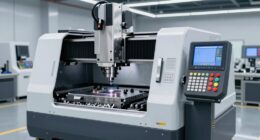
For a versatile starting point, I’d choose the LONGER Ray5 10W: its diode laser suits common wood and craft projects, while the lineup includes more specialized choices for finer marking and higher-volume work. The xTool S1 40W is a stronger fit when cutting capacity matters, and the xTool F1 Ultra stands apart with fiber and diode lasers for a wider range of marking tasks. The main tradeoffs are laser type, working area, enclosure and how much setup or workflow complexity you want to handle. A higher wattage alone does not tell you whether a machine suits your materials or projects. Read on for the full comparison and advice on matching an engraver to the work you plan to do.

Get kitchen staples and gadgets delivered free — and shop member deals
- Fast, free delivery on millions of items
- Access to Prime Big Deal Days deals on October 6–7
- Prime Video, Amazon Music and more included
Key Takeaways
- The LONGER Ray5 10W is my best overall pick for a broad mix of engraving and light cutting projects; the 40W xTool S1 is better suited to buyers who put cutting capacity first.
- Laser type shapes material choice: the xTool F1 Ultra combines fiber and diode sources, while the F2 Ultra UV is aimed at fine work such as inner-glass engraving.
- Enclosures and cameras change the workflow: the enclosed xTool M2 models and camera-equipped xTool F2 Dual favor guided setup, while open-frame machines ask more of the workspace and operator.
- Small diode machines trade working area for portability: the LaserPecker LP1 Plus and ACMER S1 suit compact, simpler projects better than larger jobs.
- Color craft features and bundles add specialization: the xTool M2 Color Craft models add CMYK printing, while the BlazeX M3 bundle includes an enclosure and materials for a more ready-to-start package.
| LONGER Ray5 10W Laser Engraver and Cutter |  | Best for Large Projects | Laser output: 10W | Laser spot size: 0.06 × 0.06 mm | Engraving precision: 0.01 mm | VIEW ON AMAZON | See Our Full Breakdown |
| xTool F2 Ultra UV Laser Engraver, 5W, 3D Inner Glass Fine Engraving |  | Best for Glass and Delicate Materials | Laser power: 5W (5000mW) | Laser class: Class 4 | Spot size: <10μm | VIEW ON AMAZON | See Our Full Breakdown |
| LaserPecker LP1 Plus Mini Laser Engraver with Adjustable Stand |  | Best for Portable Beginner Projects | Model: LaserPecker LP1 Plus | Portability: Pocket-sized; fits in a backpack | Setup time: Under 2 minutes | VIEW ON AMAZON | See Our Full Breakdown |
| xTool M2 10W Laser Engraver with Built-in Dual Cameras, Class 1 Enclosed Safe Laser Engraving Machine for DIY Crafts on Wood, Leather, Felt, Fabric, Paper |  | Best for Enclosed Home Crafting | Laser power: 10W (10000mW) diode | Safety class: Class 1, fully enclosed | Cameras: Built-in dual cameras | VIEW ON AMAZON | See Our Full Breakdown |
| ACMER S1 Laser Engraver and Cutter, 2500 mW Diode Laser |  | Best Compact Desktop Value | Laser power: 2500 mW | Machine output: 24 W | Wavelength: 455 ± 5 nm | VIEW ON AMAZON | See Our Full Breakdown |
| Twotrees TTS-55 Pro 5.5W Laser Engraver |  | Best Value for a Larger Open Work Area | Laser power: 5.5W (5500 mW) | Working area: 300 × 300 mm | Engraving accuracy: Up to 0.1 mm | VIEW ON AMAZON | See Our Full Breakdown |
| Artilume 7W Laser Engraver with App Control |  | Best Compact Pick for Craft Beginners | Laser output: 7W | Working area: 200 × 150 mm | Engraving accuracy: 0.01 mm | VIEW ON AMAZON | See Our Full Breakdown |
| xTool M2 10W Color Craft Laser Engraver with CMYK Inkjet Printer and Dual Cameras |  | Best Enclosed All-in-One Craft System | Laser power: 10W diode | Safety class: Class 1, fully enclosed | Cameras: Dual built-in cameras with ACS motion control | VIEW ON AMAZON | See Our Full Breakdown |
| xTool S1 40W Laser Cutter and Engraver with Rotary Bundle |  | Best for High-Power Cutting and Large Projects | Laser power: 40W | Bed size: 23.93 × 15.16 inches | Maximum engraving speed: 600 mm/s | VIEW ON AMAZON | See Our Full Breakdown |
| xTool F1 Ultra 20W Fiber and Diode Dual Laser Engraver |  | Best for Metal and Mixed-Material Production | Laser types: 20W fiber and 20W diode | Maximum speed: 10,000 mm/s | Camera: 16MP | VIEW ON AMAZON | See Our Full Breakdown |
| Carverall K15 Pro 10W Laser Engraver and Cutter |  | Best Value for Flexible DIY Projects | Laser power: 10W; verified output 10.36–10.58W | Laser class: Class 1 | Work area: 11.8 × 7.9 inches (A4) | VIEW ON AMAZON | See Our Full Breakdown |
| xTool F2 Dual Laser Engraver (5W IR & 15W Diode) with Built-in 50MP Camera |  | Best for Portable Metal Marking | Laser type: Dual laser: 5W IR and 15W diode | Laser class: Class 4 | Built-in camera: 50MP | VIEW ON AMAZON | See Our Full Breakdown |
| xTool M2 20W Color Craft Laser Engraver with CMYK Inkjet Printer and Dual Cameras | | Best for Full-Color Crafting | Laser power: 20W diode | Laser class: Class 1 | Printing: CMYK full-color inkjet | VIEW ON AMAZON | See Our Full Breakdown |
| BlazeX M3 10W Laser Engraver Machine with Enclosure, Honeycomb Bed & Engraving Materials |  | Best Starter Kit for Enclosed Engraving | Laser power: 10W | Laser class: Class 1 | Engraving accuracy: 0.01mm | VIEW ON AMAZON | See Our Full Breakdown |
| laser engraver | Laser power | Software |
|---|---|---|
| LONGER Ray5 10W Laser Engraver | — | — |
| xTool F2 Ultra UV Laser Engrav | 5W (5000mW) | 2D-to-3D software |
| LaserPecker LP1 Plus Mini Lase | — | — |
| xTool M2 10W Laser Engraver wi | 10W (10000mW) diode | xTool Studio |
| ACMER S1 Laser Engraver and Cu | 2500 mW | — |
| Twotrees TTS-55 Pro 5.5W Laser | 5.5W (5500 mW) | LaserGRBL; LightBurn |
| Artilume 7W Laser Engraver wit | — | — |
| xTool M2 10W Color Craft Laser | 10W diode | xTool Studio with templates and AI image generator |
| xTool S1 40W Laser Cutter and | 40W | — |
| xTool F1 Ultra 20W Fiber and D | — | — |
| Carverall K15 Pro 10W Laser En | 10W; verified output 10.36–10.58W | CutLabX, LightBurn, LaserGRBL |
| xTool F2 Dual Laser Engraver | — | — |
| xTool M2 20W Color Craft Laser | 20W diode | xTool Studio |
| BlazeX M3 10W Laser Engraver M | 10W | LightBurn, LaserGRBL, CutLabX |
More Details on Our Top Picks
LONGER Ray5 10W Laser Engraver and Cutter
The 400 × 400 mm work area makes the LONGER Ray5 a strong fit for signs, panels, and other jobs that outgrow compact machines. Its 10W laser, fine stated spot size, and support for LightBurn and LaserGRBL give buyers room to work with established engraving software, while USB, TF card, Wi-Fi, and app connections offer several ways to send jobs. Compared with the ACMER S1, the Ray5 can handle much larger pieces, but it also takes more bench space and asks the user to manage setup and software. The listed cutting thickness varies by material, so those maximum figures should not be treated as equivalent across wood and acrylic. Emergency stop, motion and heat protection, a cover, and goggles add useful safety equipment, though careful operation is still part of using an open-frame style machine.
Pros:- Large 400 × 400 mm work area accommodates projects that exceed compact engraver beds
- Supports LightBurn and LaserGRBL for buyers who want established control software
- USB, TF card, Wi-Fi, and app connections provide flexible job transfer options
- Includes an emergency stop, protective cover, goggles, and motion and heat protection
Cons:- Software setup and operation may take effort for users new to laser engraving
- Large working area requires more room than compact options such as the ACMER S1
- Cutting capacity varies by material, so stated maximum thicknesses do not apply uniformly
Best for: Makers who engrave large signs, panels, or multiple pieces and are comfortable configuring desktop laser software
Not ideal for: Desk-limited beginners seeking a compact machine with guided setup and a fully enclosed Class 1 design
- Laser output:10W
- Laser spot size:0.06 × 0.06 mm
- Engraving precision:0.01 mm
- Maximum engraving speed:10,000 mm/min
- Working area:400 × 400 mm
- Connectivity:USB, TF card, Wi-Fi, app
- Compatible software:LaserGRBL, LightBurn
- Safety features:Emergency stop, motion protection, heat protection, protective cover, safety goggles
Our verdict“Choose the Ray5 if your projects need a generous work area and you can accommodate the setup and workspace demands.”
xTool F2 Ultra UV Laser Engraver, 5W, 3D Inner Glass Fine Engraving
The 5W UV source gives the xTool F2 Ultra a distinct job in this lineup: fine engraving inside glass and crystal, plus work on transparent or heat-sensitive materials that can be difficult for diode machines. Its sub-10μm spot and cold-light approach are intended to create clean edges with less charring, while dual 48MP cameras and 2D-to-3D software help position and prepare intricate designs. The listed speed is 15,000 mm/s, making it a different kind of production option from the larger-bed LONGER Ray5, which is better suited to broad workpieces and conventional cutting. The tradeoff is specialization: this UV machine is a Class 4 laser requiring careful safety practices, and rotary or conveyor accessories may be separate purchases. Buyers focused on wood cutting may get more relevant capability from a diode model.
Pros:- UV laser supports fine interior engraving in glass and crystal
- Sub-10μm spot is designed for precise work with clean edges and reduced charring
- Dual 48MP cameras and 2D-to-3D software aid placement and design preparation
- Supports surface, rotary, embossing, and cutting workflows
Cons:- Class 4 laser requires careful safety precautions during operation
- Rotary and conveyor accessories may be sold separately
- Specialized UV capability is less aligned with buyers mainly seeking a wood-cutting machine
Best for: Small studios and gift makers producing detailed glass, crystal, ceramic, or heat-sensitive material engravings
Not ideal for: Buyers prioritizing wood cutting, a large flat work area, or a lower-complexity safety setup
- Laser power:5W (5000mW)
- Laser class:Class 4
- Spot size:<10μm
- Engraving speed:15,000 mm/s
- Cameras:Dual 48MP
- Supported work:3D inner-glass engraving, surface engraving, embossing, cutting, rotary engraving
- Software:2D-to-3D software
- Warranty:12 months
Our verdict“Pick the F2 Ultra for precision glass and delicate-material work if you are prepared for Class 4 laser safety and any needed accessories.”
LaserPecker LP1 Plus Mini Laser Engraver with Adjustable Stand
The LP1 Plus is the most travel-friendly choice here: its pocket-sized body, power-bank compatibility, and setup time under two minutes make it suited to small projects away from a fixed workshop. The adjustable stand and magnetic base add flexibility for 360° multi-angle positioning, while its mobile app lets beginners start from a photo or doodle. That convenience comes with a clear boundary: it works on non-metal materials, so it cannot replace the ACMER S1 for buyers seeking a broader desktop engraving and cutting setup. The 200 mm working distance also needs to be set accurately with the supplied ruler, adding a precision step before each job. Its compact format favors small, occasional designs over large signs or batch production; buyers should choose it for portability and simple app-based projects rather than bed size or metal capability.
Pros:- Pocket-sized design fits in a backpack for portable engraving
- Can run from a power bank for projects away from a workshop
- Quick setup and a cross-platform mobile app lower the entry barrier
- Adjustable stand and magnetic base support flexible positioning
Cons:- Does not support metal engraving
- The 200 mm working distance needs accurate setup with the ruler
- Small portable format is less suited to large pieces or batch work
Best for: Beginners, craft hobbyists, and mobile creators making small designs on wood, leather, paper, or acrylic
Not ideal for: Makers who need metal engraving, a large fixed work area, or a machine intended for larger cutting jobs
- Model:LaserPecker LP1 Plus
- Portability:Pocket-sized; fits in a backpack
- Setup time:Under 2 minutes
- Power source:Power bank compatible
- Engraving angles:360° multi-angle
- Working distance:200 mm (laser lens to material surface)
- Supported materials:Wood, leather, acrylic, paper, and other non-metal materials
- Included accessories:Adjustable stand, magnetic base, distance ruler
Our verdict“Choose the LP1 Plus for portable, small-scale non-metal engraving with app-guided setup.”
xTool M2 10W Laser Engraver with Built-in Dual Cameras, Class 1 Enclosed Safe Laser Engraving Machine for DIY Crafts on Wood, Leather, Felt, Fabric, Paper
For home crafters who value contained operation and precise placement, the xTool M2 pairs a fully enclosed Class 1 design with dual cameras that preview the workspace. That combination can make it easier to place designs on scraps of wood, felt, fabric, or paper than with the open work area of the LONGER Ray5, whose larger bed better suits oversized pieces. The M2’s xTool Studio templates and AI image generator also offer a guided route into personalized craft projects. Its stated support for 300+ materials and optional CMYK Inkjet module expand the creative range, though the color workflow and other add-ons are separate purchases. Metal and plastic engraving requires the optional IR laser, so the base 10W diode configuration is not the right pick for buyers who expect broad metal capability out of the box.
Pros:- Fully enclosed Class 1 design supports a contained home crafting setup
- Dual cameras provide live workspace preview for more accurate placement
- xTool Studio templates and AI image generation help beginners start projects
- Optional modules can add color printing, IR engraving, and rotary capability
Cons:- CMYK Inkjet, 3W IR laser, and rotary attachments are sold separately
- Metal and plastic engraving require the optional IR laser module
- The enclosed workflow offers less room for oversized pieces than the LONGER Ray5’s 400 × 400 mm area
Best for: Home crafters who want an enclosed 10W machine, camera-assisted placement, and guided software for fabric, paper, leather, and wood projects
Not ideal for: Buyers who need large-format work, included color printing, or metal and plastic engraving without buying optional modules
- Laser power:10W (10000mW) diode
- Safety class:Class 1, fully enclosed
- Cameras:Built-in dual cameras
- Compatible materials:300+; includes cardstock, felt, leather, wood, fabric, paper
- Software:xTool Studio
- Optional add-ons:CMYK Inkjet module, 3W IR laser, RA3 Lite Rotary
Our verdict“Choose the M2 for camera-guided home crafting and enclosed operation if its optional modules fit your planned materials and workflows.”
ACMER S1 Laser Engraver and Cutter, 2500 mW Diode Laser
The ACMER S1 keeps the core desktop workflow compact: a 130 × 130 mm work area, mostly preassembled construction, and support for macOS, Windows, and Linux. Its 2.5W laser can engrave and cut thin materials, giving it more cutting intent than the portable LaserPecker LP1 Plus, but the small bed and stated thin-material limits make it a modest-scale machine rather than a sign maker. Compatibility with Acmerstudio, LightBurn, and LaserGRBL gives buyers a choice of software, and the aluminum alloy frame weighs about 2 kg for easier relocation around a workspace. The listed material range is broad, but that should not be read as equal cutting performance across every material. Pick this for small desktop jobs and straightforward setup; skip it if projects regularly exceed its compact area.
Pros:- Mostly preassembled design can shorten setup
- Works with macOS, Windows, and Linux
- Supports Acmerstudio, LightBurn, and LaserGRBL
- Compact 2 kg aluminum alloy construction is easier to move than larger machines
Cons:- 130 × 130 mm work area limits project size
- Cutting is described for thin materials
- 2.5W laser output is less suited to demanding cutting than higher-power options such as the LONGER Ray5
Best for: Desktop hobbyists making small engravings and thin-material cuts who want broad operating-system and software compatibility
Not ideal for: Makers producing large signs, substantial cuts, or projects that need a generous work bed
- Laser power:2500 mW
- Machine output:24 W
- Wavelength:455 ± 5 nm
- Maximum engraving speed:10,000 mm/min
- Repeatable positioning accuracy:0.01 mm
- Working area:130 × 130 mm
- Machine dimensions:250 × 250 × 162 mm
- Weight:2 kg (3.98 lb listed)
- Supported software:Acmerstudio, LightBurn, LaserGRBL
Our verdict“Choose the ACMER S1 for compact desktop engraving and light cutting, provided its small work area fits your projects.”
Twotrees TTS-55 Pro 5.5W Laser Engraver
The 300 × 300 mm work area gives the Twotrees TTS-55 Pro room for larger flat projects than the Artilume’s compact 200 × 150 mm bed, while its 5.5W diode keeps it aimed at lighter craft work rather than thick stock. Air-assist support can help clear debris during cutting, and Wi-Fi or TF card operation gives you options for sending jobs without keeping a computer attached. It supports LaserGRBL and LightBurn, though the listed LaserGRBL compatibility is limited to Windows. Its stated cutting capacity—5 mm plywood and 3 mm acrylic—sets a practical boundary: buyers needing the deeper cuts of the 40W xTool S1 should choose that machine instead. This is a flexible open-frame pick for hobbyists who value bed space and workflow options over enclosure and high power.
Pros:- 300 × 300 mm working area accommodates larger flat pieces than the Artilume.
- Air-assist support can improve cut cleanliness.
- Wi-Fi and TF card engraving allow computer-free job handling.
- Works with both LaserGRBL and LightBurn.
Cons:- 5.5W output and stated cutting limits are modest beside the 40W xTool S1.
- Open-frame design lacks the xTool M2’s enclosed Class 1 setup.
- LaserGRBL compatibility is listed for Windows only.
Best for: Hobbyists making medium-size wood, leather, or paper projects who want a generous bed and offline job control.
Not ideal for: Buyers cutting thick materials, needing an enclosed Class 1 machine, or using LaserGRBL on a non-Windows computer.
- Laser power:5.5W (5500 mW)
- Working area:300 × 300 mm
- Engraving accuracy:Up to 0.1 mm
- Spot focus:0.08 × 0.46 mm
- Maximum engraving speed:30,000 mm/min
- Control board:Dual-core 32-bit MCU
- Connectivity:Wi-Fi; TF card offline engraving
- Software:LaserGRBL; LightBurn
- Stated cutting capacity:5 mm plywood; 3 mm acrylic; 0.7 mm leather
Our verdict“Choose the TTS-55 Pro for a roomy hobby workspace and flexible job transfer, provided its modest cutting capacity fits your materials.”
Artilume 7W Laser Engraver with App Control
The Artilume is the most storage-friendly choice here: its foldable aluminum frame and 200 × 150 mm work area suit a desk that also needs to serve other purposes. Smartphone app control lowers the setup barrier for simple craft jobs, while LightBurn and GRBL provide a computer-based path as projects get more involved. Its 7W output can cut basswood up to 4 mm with multiple passes, but the small bed and 10,000 mm/min speed make it a slower, more constrained option than the larger-bed Twotrees TTS-55 Pro. Bare metal also needs marking spray, so it is not a direct metal engraver. Choose it for occasional small signs, tags, and craft pieces; skip it if your work regularly outgrows a compact desktop footprint.
Pros:- Foldable frame takes less storage space than the open-bed Twotrees TTS-55 Pro.
- Smartphone app control complements LightBurn and GRBL.
- Engraves several craft materials, including leather and dark acrylic.
- Can cut basswood up to 4 mm with multiple passes.
Cons:- 200 × 150 mm work area restricts project size.
- 10,000 mm/min maximum speed is lower than the TTS-55 Pro’s listed speed.
- Bare metal requires marking spray.
Best for: Apartment crafters and beginners making small tags, ornaments, or signs who want app control and easy storage.
Not ideal for: Makers producing larger panels, seeking fast batch work, or expecting direct engraving on bare metal.
- Laser output:7W
- Working area:200 × 150 mm
- Engraving accuracy:0.01 mm
- Maximum engraving speed:10,000 mm/min
- Cutting capacity:Up to 4 mm basswood with multiple passes
- Supported materials:Wood, leather, dark acrylic, coated metal, paper, bamboo, and other craft materials
- Control options:Smartphone app, LightBurn, GRBL
- Frame and design:Aluminum alloy; foldable
Our verdict“Pick the Artilume for small craft jobs and a stowable setup, but choose a larger machine if project size or throughput matters.”
xTool M2 10W Color Craft Laser Engraver with CMYK Inkjet Printer and Dual Cameras
The xTool M2 combines 10W diode engraving and cutting with a CMYK inkjet module, so one enclosed machine can add printed color to pieces that the Twotrees TTS-55 Pro can only engrave or cut. Its Class 1 enclosure and dual cameras suit home craft rooms where contained operation and repeatable placement matter; the Place & Go workflow can help position designs across varied materials. The included xTool Studio templates and AI image generator give newer users a guided starting point. That convenience comes with a tradeoff: the diode is less suited to thick or hard stock than the 40W xTool S1, and buyers wanting infrared metal work need to add the optional 3W IR module. I’d choose the M2 for varied, color-forward craft production, not heavy cutting.
Pros:- Combines diode laser work and CMYK inkjet printing.
- Class 1 enclosed design is suited to home use.
- Dual cameras support precise material placement.
- Beginner-friendly software includes templates and an AI image generator.
Cons:- 10W diode output is less suited to thick or hard materials than the xTool S1’s 40W laser.
- Optional 3W IR module is needed for that laser type.
- The combined workflow may be more than needed for buyers who only engrave.
Best for: Home crafters and small custom-gift sellers who want enclosed laser work, camera-assisted placement, and printed color in one system.
Not ideal for: Users prioritizing deep cuts or direct IR metal engraving without purchasing an extra module.
- Laser power:10W diode
- Safety class:Class 1, fully enclosed
- Cameras:Dual built-in cameras with ACS motion control
- Printing:CMYK full-color inkjet module
- Compatible materials:300+ including wood, leather, felt, fabric, paper, and cardstock
- Optional module:3W IR laser, sold separately
- Software:xTool Studio with templates and AI image generator
- Included:xTool M2 10W, CMYK Inkjet Printing Module, Deluxe Material Kit
Our verdict“Choose the M2 if color printing, enclosed operation, and camera-guided placement matter more than cutting power.”
xTool S1 40W Laser Cutter and Engraver with Rotary Bundle
With a 40W laser, large bed, and enclosed Class 1 design, the xTool S1 is the strongest fit in this group for buyers moving from small crafts into substantial cutting jobs. Its stated ability to cut 18 mm cherry wood in one pass goes far beyond the Twotrees TTS-55 Pro’s listed 5 mm plywood capacity, while autofocus and positioning features help manage larger pieces. AutoPassthrough supports projects up to 118 inches long, making the machine more adaptable to extended stock than the xTool M2’s craft-focused setup. The tradeoff is that maximum cut figures depend on material and settings; the cherry wood claim does not guarantee the same result across other woods. Its size and power also make it a bigger commitment than compact desktop options.
Pros:- 40W laser and large bed support more demanding jobs than the TTS-55 Pro.
- AutoPassthrough extends project length to 118 inches.
- Autofocus and positioning features simplify setup on larger work.
- Enclosed Class 1 design includes flame sensors and automatic stop features.
Cons:- The 18 mm one-pass cutting figure applies specifically to cherry wood.
- Some advertised results depend on material and software settings.
- Larger bed and enclosure require more workspace than compact craft machines.
Best for: Makers and small workshops cutting larger wood pieces or long stock who want an enclosed machine with substantial diode power.
Not ideal for: Occasional small-project crafters with limited workspace or buyers whose work centers on printed color or compact portability.
- Laser power:40W
- Bed size:23.93 × 15.16 inches
- Maximum engraving speed:600 mm/s
- Maximum cutting thickness:18 mm cherry wood in one pass
- Maximum project length:118 inches (3000 mm) with AutoPassthrough
- Safety classification:Class 1
- Frame:3 mm aerospace-grade aluminum
- Included bundle:Rotary bundle
Our verdict“Choose the S1 for larger, deeper cutting work and long stock, while matching expectations to the specific material being cut.”
xTool F1 Ultra 20W Fiber and Diode Dual Laser Engraver
The F1 Ultra earns a distinct place through its 20W fiber and 20W diode combination: fiber handles metal work while the diode covers materials such as wood, acrylic, and leather. That makes it more versatile across material types than the 40W diode-only xTool S1, though the S1 has the larger bed and a stated deeper wood cut. The F1 Ultra’s 16MP camera and optional conveyor support repeatable placement and longer batch runs, but its standard 220 × 220 mm area is relatively compact, and the conveyor is sold separately. It also carries a Class 4 rating, so its enclosed cover, smoke extraction, fire alarm, and emergency stop demand careful attention to setup and operation. This is the production-oriented choice for mixed-material jobs, not a casual home craft machine.
Pros:- Fiber and diode lasers cover metal and nonmetal work in one machine.
- Supports 3D embossing and deep engraving.
- 16MP camera aids placement for repeat jobs.
- Optional conveyor extends the working area for batch production.
Cons:- Class 4 classification calls for careful safety practices.
- The 220 × 220 mm standard work area is smaller than the xTool S1 bed.
- Auto conveyor is sold separately.
Best for: Small businesses and advanced makers producing repeat metal and nonmetal engravings across varied materials.
Not ideal for: Beginners seeking a simple home craft machine, or users needing a large built-in bed and Class 1 classification.
- Laser types:20W fiber and 20W diode
- Maximum speed:10,000 mm/s
- Camera:16MP
- Work area:220 × 220 mm
- Work area with optional conveyor:220 × 500 mm
- Maximum wood cutting thickness:15 mm
- Maximum black acrylic cutting thickness:12 mm
- Laser class:Class 4
- Safety features:Enclosed cover, smoke extraction, fire alarm, emergency stop
Our verdict“Choose the F1 Ultra for mixed metal and nonmetal production if you can work within its compact bed and Class 4 safety requirements.”
Carverall K15 Pro 10W Laser Engraver and Cutter
The K15 Pro pairs verified 10W-plus output with an A4 workbed, making it a practical choice for hobbyists who want to engrave and cut without moving to a much larger setup. Its 11.8 × 7.9-inch area is more room than a mini engraver offers, while still fitting a compact workbench. One-touch focus, quick assembly, free CutLabX software, and TF-card operation lower the learning curve and let it work offline. Compared with the enclosed BlazeX M3, the K15 Pro offers heightening columns for taller items and optional upgrade paths, but its work area is smaller than a full-size machine’s. The listed ability to work on coated metal does not mean bare-metal engraving is built in; that needs an optional laser head. Choose it for varied small projects, and skip it if large panels or direct bare-metal marking are central to your work.
Pros:- Verified 10.36–10.58W output supports engraving and cutting across many common craft materials
- A4 workbed and heightening columns accommodate a useful range of small projects and taller objects
- Quick assembly, free software, and TF-card offline mode suit newcomers and jobs away from a computer
- Optional rotary, air pump, and IR head offer ways to expand its capabilities
Cons:- The A4 work area limits the size of pieces it can handle
- Bare-metal engraving requires an optional laser head
- Rotary and air-assist accessories add to the setup needed for specialized jobs
Best for: Hobbyists who want a compact cutter for small wood, acrylic, leather, and coated-metal projects, with room to add accessories later
Not ideal for: Makers who regularly engrave large pieces or need bare-metal marking without buying an optional laser head
- Laser power:10W; verified output 10.36–10.58W
- Laser class:Class 1
- Work area:11.8 × 7.9 inches (A4)
- Precision:0.01mm
- Maximum speed:15,000 mm/min
- Cutting capacity:Up to 12mm plywood and 8mm acrylic
- Software:CutLabX, LightBurn, LaserGRBL
- Connectivity:Wireless app control and TF-card offline mode
- Warranty:1 year
Our verdict“Pick the K15 Pro for a compact, upgradeable machine that can handle a broad mix of small craft projects, provided its A4 bed fits your work.”
xTool F2 Dual Laser Engraver (5W IR & 15W Diode) with Built-in 50MP Camera
The F2 combines a 15W diode and 5W infrared laser, so it can handle a wider range of materials than a diode-only option like the Carverall K15 Pro. That second laser is the distinction for buyers who want metal marking as part of a portable setup; the K15 Pro needs an optional head for bare-metal engraving. A 50MP camera with 0.1mm alignment accuracy helps position small designs and reduce placement errors during custom jobs. At 4.6kg, the F2 is suited to carrying between work sites or setting up for events, and its enclosed design supports indoor use. The tradeoff is that it is a Class 4 laser, which calls for careful safety practices despite the enclosure. Slide Extension and purifier accessories are separate, so buyers planning larger or frequent production jobs should account for the extra setup.
Pros:- Dual IR and diode lasers cover more material types than diode-only machines
- Built-in 50MP camera and 0.1mm alignment accuracy aid precise placement on small items
- Light 4.6kg build makes it practical for on-site customization
- Enclosed design is suited to indoor operation when handled with appropriate laser safety practices
Cons:- Class 4 classification requires careful safety handling
- Slide Extension and purifier are sold separately
- The compact format is aimed at portable and small-batch work rather than large pieces
Best for: Makers and small-business operators who travel to events and need a compact machine for personalized items, including metal marking
Not ideal for: Beginners seeking a lower-complexity enclosed setup, or buyers who need an extended work area and included smoke purification
- Laser type:Dual laser: 5W IR and 15W diode
- Laser class:Class 4
- Built-in camera:50MP
- Maximum speed:6000mm/s
- Alignment accuracy:0.1mm
- Motion accuracy:0.00199 inches
- Weight:4.6kg
- Compatible materials:300+ materials
Our verdict“Choose the F2 if portability and built-in metal marking matter more than a larger work area or a simpler safety setup.”
xTool M2 20W Color Craft Laser Engraver with CMYK Inkjet Printer and Dual Cameras
The M2 combines a 20W diode laser with CMYK inkjet printing, giving craft sellers a way to pair engraved or cut shapes with full-color artwork in one device. That changes its role in the lineup: unlike the xTool F2, whose dual lasers expand material marking, the M2 adds a separate printing workflow for personalized designs. Dual cameras and the Place & Go alignment system help position material and artwork with less manual measuring, while xTool Studio templates and its AI image generator make it more approachable for varied craft jobs. Its Class 1 enclosure and safety monitoring suit an indoor craft workspace. The tradeoff is focus: a 20W diode is not the right choice for demanding cuts in thick or dense stock, and metal marking requires the optional 3W IR module. Choose this for colorful projects on paper, fabric, leather, and wood, not heavy-duty cutting.
Pros:- Combines laser engraving and cutting with full-color CMYK inkjet printing
- Dual cameras and Place & Go alignment simplify positioning materials and artwork
- Class 1 enclosure with real-time safety monitoring suits an indoor craft workspace
- Templates and an AI image generator in xTool Studio support quick project setup
Cons:- The 20W diode may be underpowered for thick or dense materials
- The 3W IR module needed for infrared marking is sold separately
- Its printing workflow is less relevant to buyers who only need laser engraving and cutting
Best for: Craft sellers and hobbyists making personalized, full-color pieces from paper, fabric, felt, leather, and wood
Not ideal for: Makers who prioritize cutting thick or dense materials, or need infrared metal marking included in the base machine
- Laser power:20W diode
- Laser class:Class 1
- Printing:CMYK full-color inkjet
- Cameras:Dual built-in cameras
- Compatible materials:300+ including cardstock, felt, leather, wood, fabric, and paper
- Software:xTool Studio
- Optional module:3W IR module, sold separately
- Included:xTool M2 20W and CMYK Inkjet Printing Module
Our verdict“Pick the M2 for personalized color craft work that benefits from printing and laser finishing in one machine.”
BlazeX M3 10W Laser Engraver Machine with Enclosure, Honeycomb Bed & Engraving Materials
The BlazeX M3 comes ready with an enclosure, honeycomb bed, tools, and 13 engraving materials, making it a straightforward entry point for makers who want the main workspace pieces in one package. Its 10W laser and 0.01mm stated accuracy suit detailed work across wood, acrylic, leather, glass, and other listed materials. Tilt and lid sensors trigger automatic shutoff, and the integrated smoke-exhaust fan helps manage fumes; the Class 1 rating adds to its appeal for a home workshop. Compared with the Carverall K15 Pro, the M3 emphasizes an enclosed, supplied setup, while the K15 Pro offers a documented A4 work area, offline mode, and heightening columns. The M3’s listed specs do not give a work area or cutting capacity, so buyers should check those before planning larger jobs. Rotary, air-assist, and purifier accessories are separate.
Pros:- Starter bundle includes an enclosure, honeycomb bed, tools, and 13 engraving materials
- Class 1 rating, lid and tilt sensors, and automatic shutoff support safer operation
- Integrated exhaust fan helps manage smoke during indoor projects
- Works with LightBurn, LaserGRBL, and CutLabX
Cons:- Work area and cutting capacity are not specified in the provided product data
- Rotary roller, air assist, and purifier are sold separately
- At 8 pounds, it is less convenient to move than a compact portable engraver
Best for: New home-workshop users who want an enclosed 10W engraver with a honeycomb bed and starter materials included
Not ideal for: Buyers planning larger cuts or rotary work who need a stated work area, cutting capacity, or specialty accessories included
- Laser power:10W
- Laser class:Class 1
- Engraving accuracy:0.01mm
- Power source:Corded electric
- Weight:8 pounds
- Compatible materials:300+ including wood, metal, glass, leather, and acrylic
- Software:LightBurn, LaserGRBL, CutLabX
- Included accessories:Protective enclosure, tool kit, 13 engraving materials, honeycomb laser bed
Our verdict“Choose the BlazeX M3 if you want an enclosed starter setup with useful materials and safety features already included.”
How We Picked
I ranked these laser engravers by how well their capabilities match common buyer needs, including craft engraving, cutting, compact marking, detailed work and broader material flexibility. I weighed laser type and stated output alongside workflow features such as cameras, app control, enclosure, included accessories and the practical demands of setup. A larger output rating can help with certain cutting tasks, but it does not make a machine the right choice for delicate marking, portability or a guided beginner workflow.
The order favors machines with a convincing balance of capability and usability for a broad range of projects, then places more specialized, compact or feature-heavy picks where their tradeoffs are clearest. Models with distinctive strengths, such as UV engraving or dual laser sources, rank for those needs rather than as universal upgrades. I also considered what buyers give up: workspace, ease of setup, versatility or specialization. Product descriptions alone do not establish comparative test results, so the ranking reflects the listed features and their relevance to buyer priorities.
Factors to Consider When Choosing Laser Engravers
Before choosing a laser engraver, I’d start with the work you need it to do regularly, then check that the machine’s laser, workspace and safety setup fit your materials and room. These decisions often matter more than a headline power figure.
Match the laser source to your materials
Diode, fiber and UV lasers serve different tasks, so I would check material compatibility before comparing wattage. Diode machines commonly target wood, leather and other craft materials, while fiber lasers are designed for marking metals and some plastics. UV systems suit specialized fine marking, including certain glass work, but they are not a general-purpose substitute for a larger cutting machine. Dual-source models broaden the options but add complexity and cost. Check the manufacturer’s material guidance for the exact material and finish you plan to use. Coatings, colorants and surface treatments can change the result. When a material is uncertain, choose a machine with clear compatibility information and follow its safety instructions.
Treat cutting and engraving as separate needs
A machine that engraves cleanly may not cut the thickness or material you expect. Cutting depends on the laser source, power, focus, speed, material composition and number of passes. Repeated passes can take longer and may leave more soot or a wider heat-affected edge. Before buying, list the thickest material you plan to cut and look for guidance for that specific material. Leave a margin above your occasional maximum if cutting is central to your work. If most projects involve surface marking, a machine optimized for detail may suit you better than paying for capacity you rarely use. Do not infer cutting performance from wattage alone.
Measure usable workspace, not just the frame
Compare the machine’s stated work area with the size of the objects you actually plan to process. A large frame can still require room for ventilation, material loading and access around the machine. Rotary work, curved objects and jigs also need clearance that a flat work-area figure may not capture. Compact engravers can be easier to store or move, but their smaller work envelope limits batch layouts and large pieces. If you expect repeat jobs, think about how many items fit at once and how consistently you can position them. Measure your bench and the route into the room before ordering. A machine that fits the bench but leaves no room to operate safely can become difficult to use.
Choose an enclosure and workflow you can maintain
An enclosure can help contain laser light and fumes, but it does not remove the need for suitable ventilation, supervision or material checks. Open-frame machines may be easier to access and configure, yet they demand more attention to the surrounding workspace and protective measures. Cameras, guided software and app controls can make job placement easier, especially when aligning designs on small pieces. Those features also add setup steps and depend on compatible software and a reliable connection. Ask how the machine connects, what software it requires and whether the camera covers the working area you need. Keep ventilation and cleaning in mind from the start, since residue buildup and poor fume extraction can affect ongoing use.
Pay for features that remove a real bottleneck
Extra cameras, rotary accessories, bundled materials and color printing can shorten particular workflows, but each adds its own learning curve. A rotary attachment makes sense if cylindrical objects are part of your regular work; it adds little value if every project is flat. A camera can simplify placement, though it will not fix inconsistent material surfaces or poor focus. Color craft printing is a specialized workflow, so check consumables, software compatibility and maintenance needs before choosing it. Bundles can help a first-time buyer get started, but verify that the included bed, enclosure and accessories fit the projects you have in mind. I’d pay more for a feature only when it saves time or enables work I expect to do often.
Frequently Asked Questions
Is a 10W diode engraver enough for the projects I have in mind?
A 10W diode model can suit many engraving and light craft-cutting projects, but the answer depends on material, thickness and finish. It should not be treated as a guarantee of clean cuts through every board or sheet. If cutting is frequent, compare the manufacturer’s guidance for your exact material and thickness, and account for multiple passes. For mostly surface engraving, you may value camera alignment, enclosure or working area more than a higher power rating. If you need to mark metals or work with specialized glass projects, check whether a different laser source is a better fit.
Should I choose an enclosed machine if I’m new to laser engraving?
An enclosure can make it easier to manage light exposure and contain some smoke, so it can be a helpful part of a beginner setup. It does not replace proper ventilation, supervision or material safety checks. Think about the space where the machine will run and how fumes will be extracted. Guided features such as cameras may reduce placement guesswork, but you will still need to learn focus, settings and material behavior. A beginner should choose the full workflow they can safely support, not rely on the enclosure label alone.
Can one laser engraver handle wood crafts and metal marking?
Some machines are designed to cover a wider range, but a single laser source does not work equally well on every material. Diode machines are common for wood and craft engraving, while fiber systems are better suited to many metal-marking tasks. A dual-laser model can provide more flexibility, though it brings a more specialized setup and a higher learning burden. Confirm that the exact metal, coating and marking method are supported before buying. If your projects are mostly wood, a simpler diode machine may be more practical than paying for a second laser you rarely use.
Do I need a camera or rotary attachment to get accurate results?
Neither accessory is necessary for every buyer. A camera can help position a design on irregularly placed flat stock, but accuracy still depends on calibration, focus and how the material sits. A rotary attachment is useful when you regularly engrave cups, tumblers or other cylindrical objects. It adds setup and alignment work, so it is less useful for a flat-material workflow. Decide based on the objects you expect to make repeatedly, then check that the accessory is compatible with the machine and software.
What should I check before using a laser engraver in a home workspace?
Check the machine’s ventilation requirements, enclosure design, electrical needs and recommended operating clearances against your room. Plan how fumes will be extracted before choosing a bench location, and keep the machine supervised during operation. Confirm that your intended materials are supported and avoid unknown plastics or coatings until you have reliable material guidance. You will also need room for loading stock, cleaning residue and storing accessories. These practical needs can make a compact enclosed model a better fit than a larger open-frame machine, even when the larger option offers more working area.
Conclusion
For the best overall balance, I’d start with the LONGER Ray5 10W; it suits buyers seeking a versatile diode machine for common craft work. The best value candidate is the ACMER S1 2500 mW for smaller, simpler engraving jobs, provided its lower output matches your plans. For beginners who want a more guided, enclosed workflow, consider the xTool M2 10W. Buyers prioritizing cutting capacity should look at the xTool S1 40W as the premium production-oriented choice, while metal marking and mixed-material workflows point toward the xTool F1 Ultra. Choose the F2 Ultra UV for specialized fine glass work, the compact LaserPecker LP1 Plus for portability, or an M2 Color Craft model if its CMYK workflow fits your projects.
NFL season / tailgating Picks
team gear
As an affiliate, we earn on qualifying purchases.