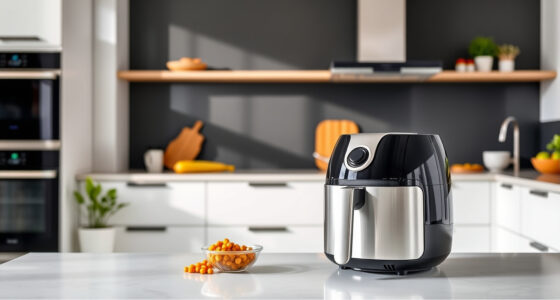
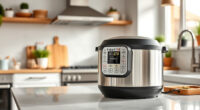
If your COSORI 9-in-1 TurboBlaze Air Fryer is displaying error codes or not functioning correctly, don’t worry. Many common issues can be resolved with a few straightforward troubleshooting steps. Understanding what causes these error codes is key to fixing your appliance safely and efficiently.

Get kitchen staples and gadgets delivered free with Prime
- Fast, free delivery on millions of items
- Prime Video, Amazon Music and more included
- Member-only deals all year
In this guide, we’ll walk you through practical, step-by-step solutions to clear error messages, ensure your air fryer is working properly, and maintain its longevity. Always prioritize safety and follow manufacturer instructions to avoid further damage.
Key Takeaways
| Identify error codes | Check the display for specific error messages to determine the problem. |
| Reset the appliance | Most errors can be cleared by unplugging and resetting the air fryer. |
| Inspect for blockages | Ensure air vents and heating elements are free of debris or food residue. |
| Check the basket and door | Make sure the basket is properly seated and the door is fully closed. |
| Perform a thorough cleaning | Regular cleaning prevents errors caused by accumulated grease or food buildup. |
Understanding Common Error Codes
Cosori air fryers display specific error codes that indicate different issues, such as overheating, improper basket placement, or sensor malfunctions. Common error codes include E1, E2, or E3, each pointing to a particular problem. Refer to your user manual or the appliance’s display to identify the exact code.
Knowing what each code signifies helps you target the right solution. For example, an overheating error (E1) might require you to let the unit cool down, while a basket misplacement error (E2) often pertains to incorrect assembly.
Step 1: Power Cycle the Air Fryer
- Turn off the air fryer and unplug it from the power outlet.
- Wait at least 5 minutes to allow internal components to reset.
- Plug the unit back in and turn it on.
- Check if the error code has cleared. If it persists, proceed to the next step.
Step 2: Inspect and Correct Basket Placement
- Open the air fryer door and carefully remove the basket.
- Check for food debris, grease, or any obstructions on the basket or inside the oven chamber.
- Ensure the basket is properly seated in the correct position, aligned with the guides.
- Close the door securely, making sure it clicks shut.
- Turn the device on again to see if the error clears.
Step 3: Clear Blockages and Clean Components
Over time, grease and food particles can block vents or sensors, causing error codes. To prevent this:
- Remove the basket and any accessories.
- Use a damp cloth or soft brush to clean the interior, focusing on air vents and heating elements.
- Check for any stuck debris that could interfere with airflow or sensor operation.
- Allow all parts to dry completely before reassembling.
- Reassemble and power on the unit to see if the error persists.
Step 4: Reset and Test the Air Fryer
If errors continue, perform a factory reset if your model supports it, or simply unplug for at least 10 minutes. Afterward:
- Replug and turn on the air fryer.
- Set a simple cooking cycle to verify normal operation.
- If the error code reappears, proceed to contact customer support or consider professional repair.
Additional Tips and Warnings
- Always unplug the appliance before cleaning or inspecting components.
- Do not attempt to repair internal electronics yourself; contact authorized service centers.
- Use compatible accessories and avoid overloading the basket, which can trigger errors.
- Regularly perform maintenance to prevent future issues.
The Products in This Guide

Cosori 9-in-1 TurboBlaze Air Fryer 6 Qt
- ✔ Model: B0G4RV4MVD
- ✔ Power: 1500W
- ✔ Dimensions: 13 x 12 x 14 inches

ALJ 3PCS Air Fryer Oven Mesh Rack
- ✔ Compatibility: COSORI 10QT, 13QT models
- ✔ Material: Stainless steel
- ✔ Number of racks: 3
Cosori 9-in-1 TurboBlaze Air Fryer 6 Qt
The Cosori 9-in-1 TurboBlaze Air Fryer 6 Qt offers powerful features like precise temperature control and TurboBlaze technology, making it a top choice for many households. When error codes appear, following proper troubleshooting steps ensures longevity and safe operation.
Pros:
- Powerful 3600 rpm fan for even cooking
- Smart control via app for convenience
- Multiple cooking functions including bake and roast
- Temperature range up to 450°F
Cons:
- Can generate error codes if not maintained properly
- Requires careful basket placement
- Cleaning needed to prevent errors
Best for: Families seeking a versatile, easy-to-maintain air fryer
Not ideal for: Users unfamiliar with digital appliances or those prone to neglect cleaning
Bottom line: A versatile air fryer that combines advanced technology with reliable performance, provided proper maintenance.
ALJ 3PCS Air Fryer Oven Mesh Rack
Using the ALJ 3PCS Air Fryer Oven Mesh Rack can help improve airflow and prevent food from sticking, reducing the likelihood of error codes caused by debris or improper placement. It’s an excellent addition for maintaining your Cosori air fryer.
Pros:
- Enhances air circulation for crispier results
- Made of food-grade stainless steel
- Dishwasher safe and easy to clean
- Prevents food from blocking vents
Cons:
- Requires additional space in the basket
- Additional cost for accessories
- Not compatible with all models
Best for: Users who want to extend their air fryer’s lifespan and improve cooking results
Not ideal for: Minimalist users who prefer basic accessories
Bottom line: A durable, helpful accessory that supports better airflow and easier cleanup, making your air frying experience smoother.
Frequently Asked Questions
Why is my COSORI air fryer showing an error code?
Error codes typically indicate issues like overheating, improper basket placement, or sensor malfunctions. Refer to the display and user manual for specific meanings.
How do I reset my COSORI air fryer after an error?
Unplug the unit, wait at least 5 minutes, then plug it back in and turn it on. This often clears temporary errors.
Can I continue using the air fryer if it shows an error?
It’s best to troubleshoot and clear the error before continued use to prevent damage or safety hazards.
What regular maintenance helps prevent error codes?
Regular cleaning of the basket, vents, and interior components, as well as proper assembly and avoiding overloading, help minimize errors.
When should I contact COSORI support?
If error codes persist after troubleshooting, or if the unit shows signs of electrical issues or physical damage, contact customer support for professional assistance.
Keeping Your COSORI Air Fryer Error-Free
With proper understanding and routine maintenance, your COSORI 9-in-1 TurboBlaze Air Fryer can deliver consistently great results without unexpected errors. Always start troubleshooting by power cycling, inspecting the basket, and cleaning internal components. When in doubt, consult the manual or reach out to support to ensure your appliance remains safe and effective for years to come.
Affiliate disclosure: As an Amazon Associate we earn from qualifying purchases. Prices and availability are accurate as of the time of publishing.
NFL season / tailgating Picks
team gear
As an affiliate, we earn on qualifying purchases.