

TL;DR

Get kitchen staples and gadgets delivered free — and shop member deals
- Fast, free delivery on millions of items
- Access to Prime Big Deal Days deals on October 6–7
- Prime Video, Amazon Music and more included
This article shows how local-first media tools can turn a single video into an entire set of publishable assets without relying on cloud services. It improves privacy, cuts costs, and speeds up workflows for creators and teams. Think of it as a one-stop, on-device publishing factory that keeps everything in your hands.
Imagine pressing a button on your desktop and watching an entire suite of social clips, blog drafts, and thumbnails spring to life—without uploading a single file to the cloud.
This isn’t some distant future; it’s the promise of modern local-first media workflows. These tools turn a single video into a full publishing kit, all on your own hardware, keeping your footage private and costs predictable. If you’re tired of juggling multiple apps or waiting for cloud services to process your content, this approach might just change the game.
In this article, you’ll see how a single video can produce everything you need for publication—on your terms. We’ll explore how it works, what hardware you need, and why it’s a smarter choice for privacy-conscious creators and teams.
Key Takeaways
- A single video can produce a full set of publish-ready assets—titles, clips, thumbnails, articles—automatically and locally.
- Processing happens entirely on your device, boosting privacy and avoiding ongoing subscription costs.
- The pipeline includes detailed provenance, making outputs transparent and easy to refine.
- A unified package simplifies multi-platform publishing, saving hours and ensuring brand consistency.
- While setup requires some technical effort, the control, speed, and privacy benefits are worth it.
As an affiliate, we earn on qualifying purchases.
How Local Processing Turns Your Video Into a Content Factory
Local processing is the backbone of this approach. It means all the analysis, AI magic, and asset generation happen right on your machine—no cloud servers involved.
Take a typical creator: they upload a 20-minute interview. The system transcribes it with speaker labels, detects scene changes, reads on-screen text, and identifies the key moments—like punchlines or emotional beats.
Why does this matter? Because processing locally eliminates the latency and privacy concerns associated with sending data to remote servers. It allows for near-instantaneous feedback and iteration, which can significantly accelerate the creative process. For more insights, see how One Video In, a Whole Publishing Kit Out — Without the Cloud helps creators. Moreover, it reduces costs by removing recurring cloud fees, making high-quality content creation accessible to smaller teams or solo creators. The tradeoff? Local processing demands powerful hardware and some technical know-how to set up and maintain, which might be a barrier for some. However, the control and privacy benefits often outweigh these challenges, especially for sensitive or proprietary content.
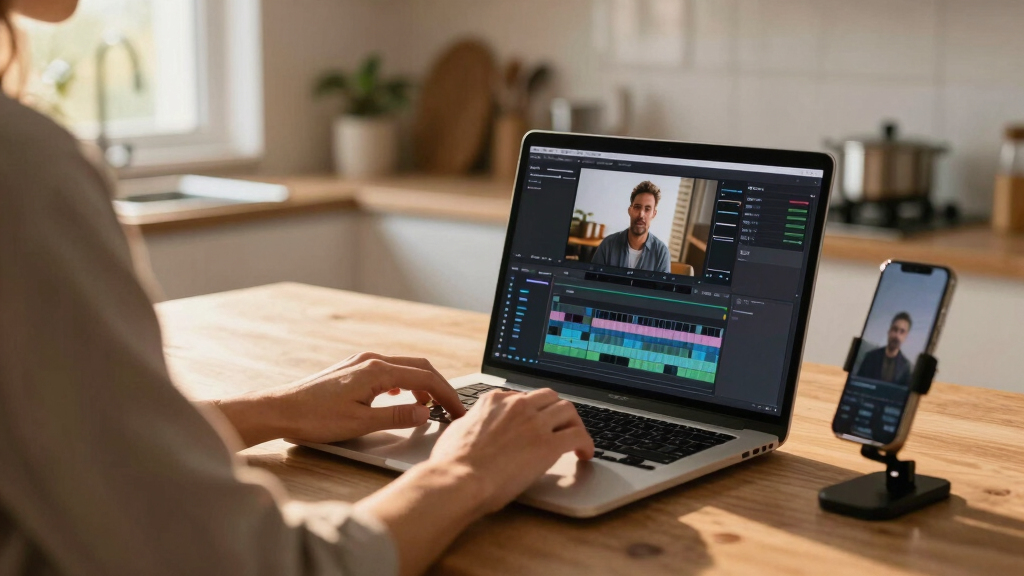
on-device media publishing tools
As an affiliate, we earn on qualifying purchases.
As an affiliate, we earn on qualifying purchases.
What Gets Created From One Video? A Complete Publishing Kit
From a single upload, you get a full suite of assets—ready for publication or review. But why does this matter beyond just convenience? Because it fundamentally streamlines your entire content pipeline, reducing manual labor and potential errors.
- Transcripts: Accurate, speaker-labeled, word-level timing for captions or blog posts. These enable accessibility and SEO, broadening your reach. The quality of these transcripts directly impacts how well your content performs; errors can hinder engagement or misrepresent your message. Learn more about efficient content creation at One Video In, a Whole Publishing Kit Out — Without the Cloud.
- Short Clips: Highlight reels or vertical cuts for TikTok, Reels, Shorts, with auto-generated descriptions. These are crucial for capturing attention quickly in fast-scrolling feeds. Properly generated clips ensure your key messages hit home and can be repurposed effortlessly across platforms. Discover how One Video In, a Whole Publishing Kit Out — Without the Cloud can help.
- Thumbnails: Based on hook moments, with suggested text overlays. Thumbnails drive click-through rates; generating them automatically saves time and ensures consistency in branding.
- Metadata: Titles, tags, and descriptions scored for engagement. Well-structured metadata improves discoverability, which is vital for organic growth. Automating this step reduces the risk of oversight or inconsistent branding.
- Articles & Newsletters: Drafts that summarize the content and key points. These serve as content repurposing tools, enabling rapid dissemination across channels. The quality of these drafts can influence audience retention and engagement, so accuracy and tone are key.
Why is this comprehensive? Because having everything generated and organized on your own device minimizes delays, reduces manual work, and enhances control over the final output. It’s not just automation—it’s a transformation of how content creators manage their workflows, enabling rapid iteration and consistent branding across multiple channels.

What Gets Created From One Video? A Complete Publishing Kit Amazonprivacy-focused video transcription software
As an affiliate, we earn on qualifying purchases.
As an affiliate, we earn on qualifying purchases.
How Does It Work Without the Cloud? The Secret Sauce
It’s all about local AI models and software that run directly on your hardware. Instead of sending footage to a server, the analysis takes place inside your PC or dedicated device.
Here’s a quick overview of the process:
- Ingest: Drop a video file or paste a link. The system recognizes the source and detects the channel for branding.
- Understand: Background workers transcribe, analyze visuals, and fuse data into a structured scene log. This step is critical because it combines multiple AI analyses—speech recognition, object detection, scene change detection—into a coherent understanding of the content. The quality of this understanding directly impacts downstream assets; inaccuracies here can lead to flawed clips or transcripts, so precise models and calibration matter.
- Review & Edit: Assets appear in your dashboard, ready for review, tweaking, or regeneration. This step offers an opportunity to refine outputs based on your intent, ensuring that the final assets align with your vision.
- Dispatch: You approve, and the system exports everything directly to your publishing platforms. This direct pipeline minimizes delays and manual uploads, making the entire process seamless and efficient.
- All assets stored together: videos, images, metadata, and drafts. This centralized storage simplifies version control and reduces the risk of missing assets during publishing.
- Structured metadata: detailed tags, chapter markers, and descriptive info for SEO and engagement. Rich metadata improves searchability and user experience, which can directly influence viewer engagement. For more on content optimization, visit Patiopie. retention and discovery.
- Editable drafts: easily refined titles, descriptions, or clips before publishing. This flexibility allows quick adjustments based on feedback or new ideas, reducing the need for reprocessing.
- Provenance info: detailed record of how each asset was generated, including prompt versions and model sources. This transparency is crucial for troubleshooting, ensuring reproducibility, and maintaining trust in automated outputs. It also enables iterative improvements, as you can trace back to the exact parameters used.
- YouTube: titles, descriptions, chapters, thumbnails
- X/Twitter: short clips, threads, captions
- Instagram & Reels: vertical videos, story assets
- LinkedIn & Facebook: article drafts, images
- Reddit, Pinterest, Telegram: curated snippets and posts
- And more—Pinterest pins, WhatsApp status, Discord embeds, Google Business posts
- Console: The quick-glance panel with pipeline status and approval controls.
- Editor: Deep dive into individual assets, compare versions, check provenance.
- Atlas: The big-picture overview, showing progress across platforms and pipelines.
By keeping all processing local, you retain full control over your data, avoiding privacy risks associated with cloud storage. This setup also means no recurring fees—just a one-time investment in hardware and software. The tradeoff? You need to maintain and update your system, but for many, the privacy and speed benefits justify this effort, especially when handling sensitive or proprietary content.

How Does It Work Without the Cloud? The Secret Sauce Amazoncontent creation hardware for creators
As an affiliate, we earn on qualifying purchases.
As an affiliate, we earn on qualifying purchases.
The Complete Package: What’s Inside Your Publishing Toolbox
Most cloud-based tools produce isolated assets—transcripts, clips, thumbnails—often requiring manual assembling. But with a local system, everything comes bundled in a single, organized package.
This package includes: For more details, see how One Video In, a Whole Publishing Kit Out — Without the Cloud can be integrated into your workflow.
Imagine preparing a YouTube video and getting a ready-to-upload package with optimized titles, captions, thumbnail ideas, and social snippets. All generated on your own hardware, perfectly organized, and ready to publish. This consolidation not only saves time but also enhances your control over the entire publishing process, leading to more consistent and high-quality content across platforms.

The Complete Package: What’s Inside Your Publishing Toolbox Reviewing and Approving Assets Faster Than Ever
Review is where local-first shines. The system offers multiple views—each designed to speed up your decision-making and improve accuracy.
The main layout, called Console, shows the video pipeline, assets, and approval panel all at once. This integrated view allows you to see what’s ready, what’s processing, and where bottlenecks might be, enabling quick prioritization. The ability to compare different assets side-by-side reduces guesswork and ensures you approve the best version.
Need to compare a generated thumbnail with your initial concept? Switch to the Editor view, which provides detailed side-by-side comparisons, including metadata and provenance. Want an overall progress snapshot? The Atlas layout displays the status across all assets and platforms, helping you manage multiple outputs efficiently.
Every asset logs its origin—prompt used, model version, processing time—making it easy to trace back and refine outputs. This transparency accelerates troubleshooting and iterative improvements, leading to higher quality results and faster turnaround times. With such detailed insights, your review process becomes more confident and less prone to errors, ultimately speeding up publication cycles and increasing your content’s reliability.

Reviewing and Approving Assets Faster Than Ever One System, Many Platforms: How a Single Package Fits All
The real power of this approach is the ability to publish everywhere from one source. A single package can include content tailored for:
This unified workflow not only saves time but also ensures brand consistency across platforms. By generating all assets from a single analysis, you reduce the risk of discrepancies and ensure your messaging stays aligned, which is crucial for building a cohesive brand identity. The convenience of a single, comprehensive package means less manual uploading and fewer chances for oversight, enabling you to focus more on content quality and audience engagement.

One System, Many Platforms: How a Single Package Fits All The Review Dashboard: Your Command Center for Content
The review dashboard is your cockpit. It offers three views:
Every asset logs the model, prompt, and version used—no guesswork. If you want to tweak a title or regenerate a thumbnail with different parameters, it’s all right there. This transparency builds trust and control over your content pipeline, reducing errors and streamlining decision-making. The ability to see detailed provenance and make adjustments on the fly ensures that your content maintains high standards and aligns with your brand voice. Over time, this centralized control accelerates the entire publishing process, enabling faster turnaround times and more consistent quality.

The Review Dashboard: Your Command Center for Content Why Privacy and Control Matter More Than Ever
With local-first workflows, your footage stays on your hardware. No need to upload sensitive videos to third-party servers. This is a game-changer for teams working with confidential material, corporate content, or personal footage.
Plus, you avoid ongoing subscription fees. Just a one-time purchase of hardware and software, and you’re set. This predictability is a huge plus, especially for small teams or solo creators looking to cut costs.
And because everything runs locally, you dictate the pace. No outages, no data leaks, no third-party interference. Your content remains yours, plain and simple. This control over your data not only enhances security but also ensures compliance with privacy regulations, which is increasingly important in today’s digital landscape. The ability to operate independently of external servers means you can maintain your workflow even if internet access is unreliable or restricted.

Why Privacy and Control Matter More Than Ever What Hardware Do You Need? Building Your Local Content Factory
To run a system like ChannelHelm, you’ll need a capable machine—ideally, a modern PC with a fast CPU, plenty of RAM (at least 32GB), and a decent GPU for AI tasks.
Some setups use dedicated local servers or high-performance workstations. The key is having enough processing power to handle video analysis and AI models simultaneously without lag. This hardware investment is crucial because it directly impacts processing speed and reliability. For creators handling large or multiple videos, a more robust system ensures smoother workflows and reduces downtime.
For those who prefer ready-made solutions, some hardware ecosystems bundle everything into a single box—think of it as your personal media server. The ChannelHelm project is developed privately and is not publicly available.
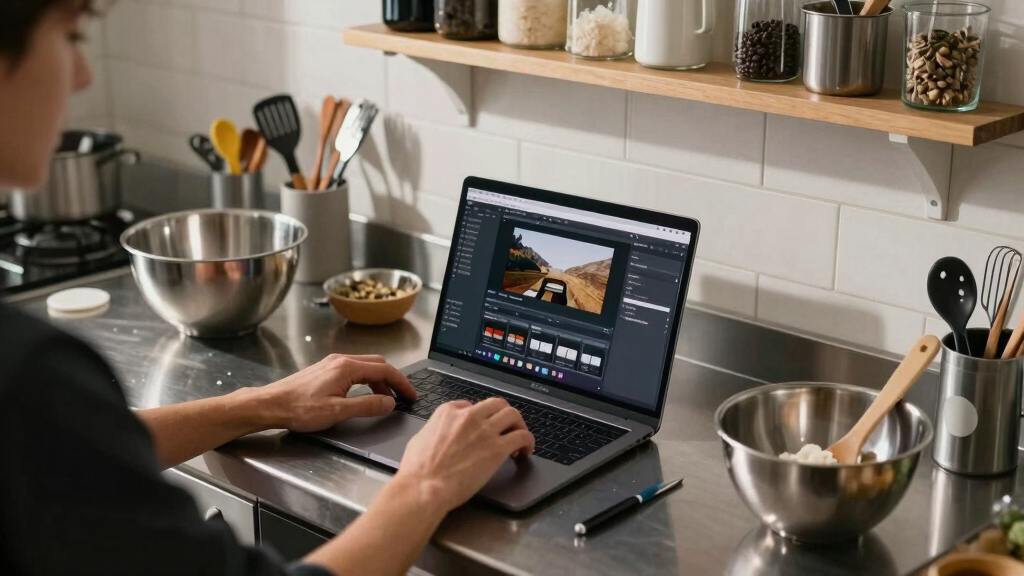
What Hardware Do You Need? Building Your Local Content Factory Tradeoffs and Realities: Is It Perfect or Just Better?
While local workflows offer privacy and speed, they come with tradeoffs. Setting up a local system requires technical know-how and ongoing maintenance. You’re responsible for updates, hardware health, and troubleshooting, which can be daunting for non-technical users.
Scaling can be tricky—processing large videos or multiple streams may demand higher-end hardware or distributed setups. Cloud systems, by contrast, can scale elastically, handling massive workloads without user intervention, but at the expense of ongoing costs and potential privacy compromises.
For small teams or solo creators, the benefits of control, speed, and privacy often outweigh these downsides. They gain a reliable, secure environment for content creation. Larger enterprises might prefer hybrid approaches—keeping sensitive tasks local while leveraging the cloud for heavy processing or collaboration—balancing flexibility with security and cost efficiency.
Frequently Asked Questions
What exactly gets generated from one video input?
From a single video, you get transcripts, short clips, thumbnails, metadata, and draft articles—all tailored for different platforms. These assets are structured, editable, and ready for publishing.
How does it work without the cloud?
It relies on local AI models and software running directly on your machine. All analysis—transcription, visual detection, metadata extraction—happens on-site, keeping your data private and costs predictable.
What hardware or software do I need?
A modern PC with a good CPU, at least 32GB RAM, and a capable GPU. Alternatively, dedicated local servers or bundled hardware solutions can also handle the workload. The ChannelHelm project is developed privately and is not publicly available.
Is it truly private, or does any data leave the device?
All processing happens on your device, so your footage stays private. No videos or metadata need to leave your hardware unless you choose to export or upload assets manually.
Can it replace cloud tools like editors or transcription services?
For many tasks—transcription, clipping, thumbnail creation—it can. But for large-scale, collaborative editing, cloud-based tools still have advantages. Local tools excel in privacy, speed, and cost control.
Conclusion
Imagine turning one video into an entire publishing army—without ever leaving your desk or exposing your footage to the cloud. That’s the promise of local-first media workflows: speed, privacy, and total control.
As these tools evolve, they’ll become the backbone of independent creators and teams who want to produce smarter, faster, and more private content. Your next workflow might just be a powerful, local content factory—ready to go whenever you are.

Tradeoffs and Realities: Is It Perfect or Just Better?
NFL SEASON / TAI NFL season / tailgating Picks
team gearteam gear
As an affiliate, we earn on qualifying purchases.